INTERNAL APP PLATFORM

One door for every app your colleagues build.

Right now, someone at your company is running a self-built app with no login in front of it. cyantula puts your Google Workspace door in front of every one, runs it behind that door, and wires in the integrations it needs.
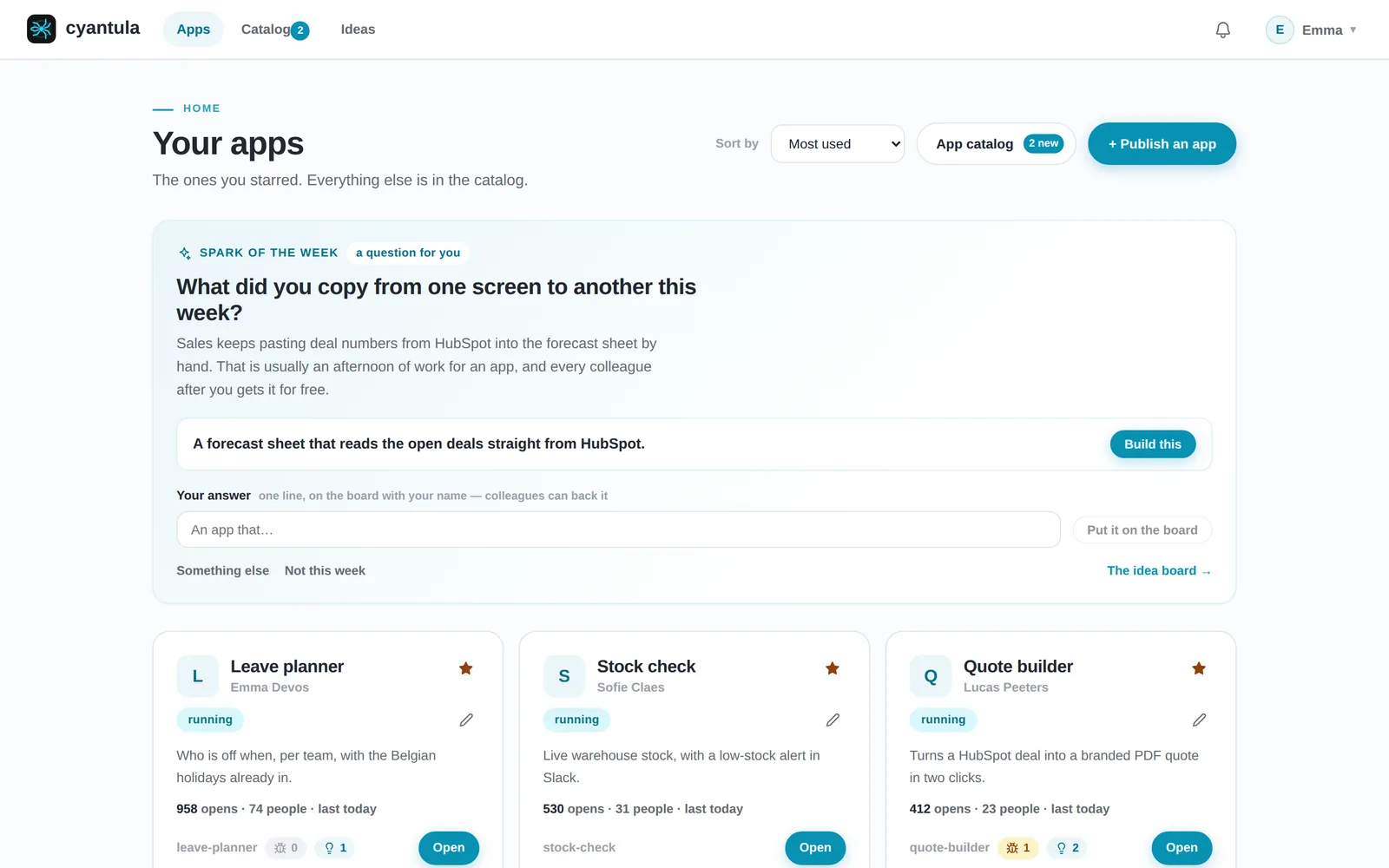
The cyantula portal home page: the spark of the week asks what to build, and below it the apps this person starred, each with its owner, status and usage
The portal every colleague opens: their apps, who owns them, how much they are used, and one question a week about what to build next.

THE PROBLEM

Colleagues build apps faster than anyone can secure them

Your colleagues now build small web apps themselves, most of them AI-generated, and almost none of those apps handle authentication. Running one somewhere reachable is risky, so it stays on a laptop, lives in a shared folder, or never gets shared at all. IT cannot review every app by hand, and the person who wrote a tool in an afternoon should not have to bolt login, deploys, backups and a key policy on top of it. That gap is where cyantula starts.

A self-built internal tool open on a laptop, with no login in front of it

01 · PUBLISH

Publish with a URL, a zip or a conversation.

The colleague who built the tool does not write a Dockerfile, pick a server or configure a login. They tell cyantula what they have and who should use it. A person stays in charge: nothing risky happens without a click.
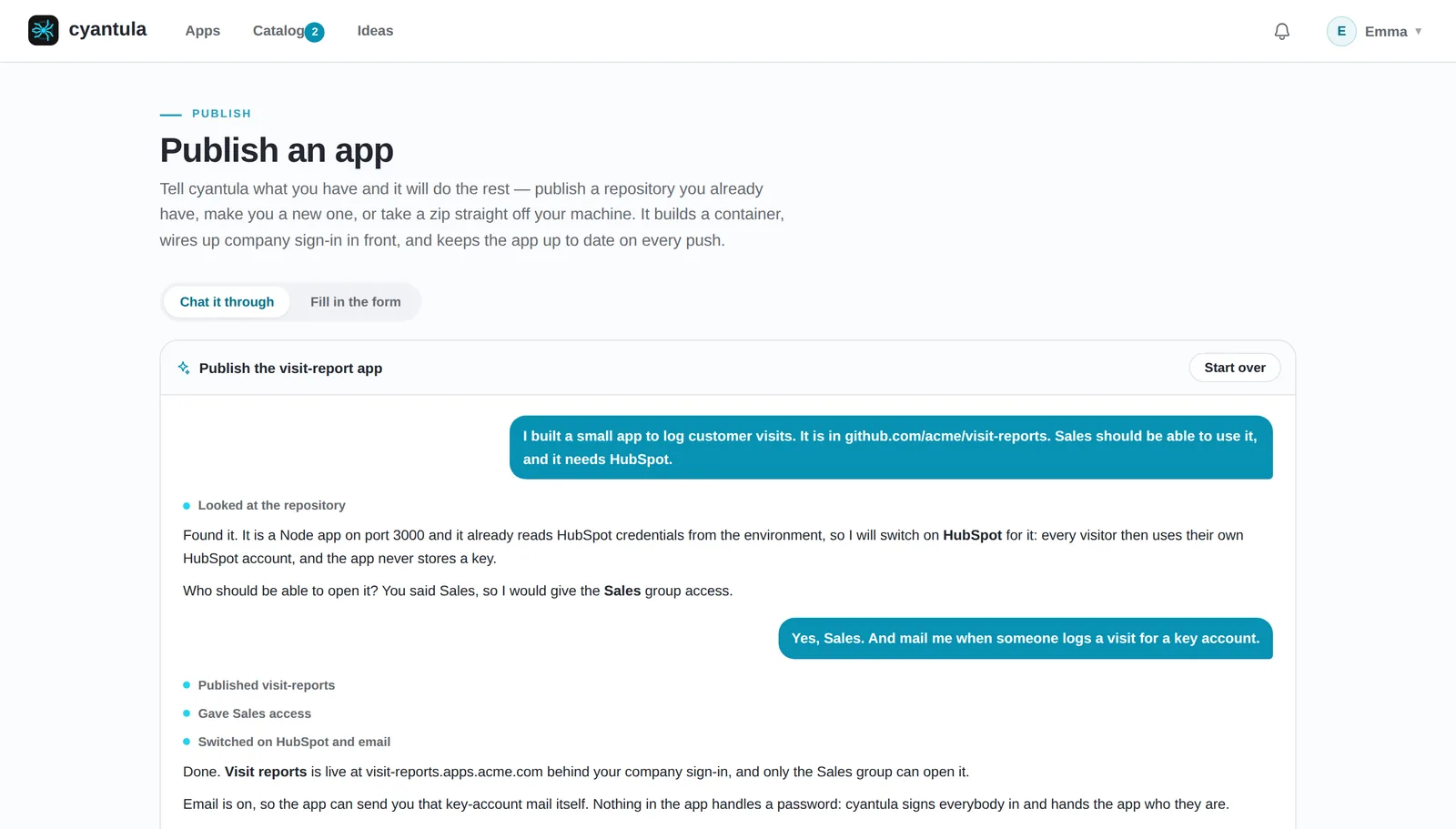
  • Paste a repository, upload a zip of the app folder, or just describe what you built.
  • cyantula builds the app, starts it, checks it answers, and keeps at it until it runs.
  • The app lands on its own address, behind company sign-in, before anyone else can open it.
Publishing an app by chatting with cyantula: it reads the repository, switches on HubSpot, gives the Sales group access and reports the app live

02 · INTEGRATIONS

Integrations, switched on per app with a tick.

Everything a company would otherwise bolt onto every app separately sits in the platform once. The owner ticks what the app needs, and cyantula holds every credential. The app never sees a key.
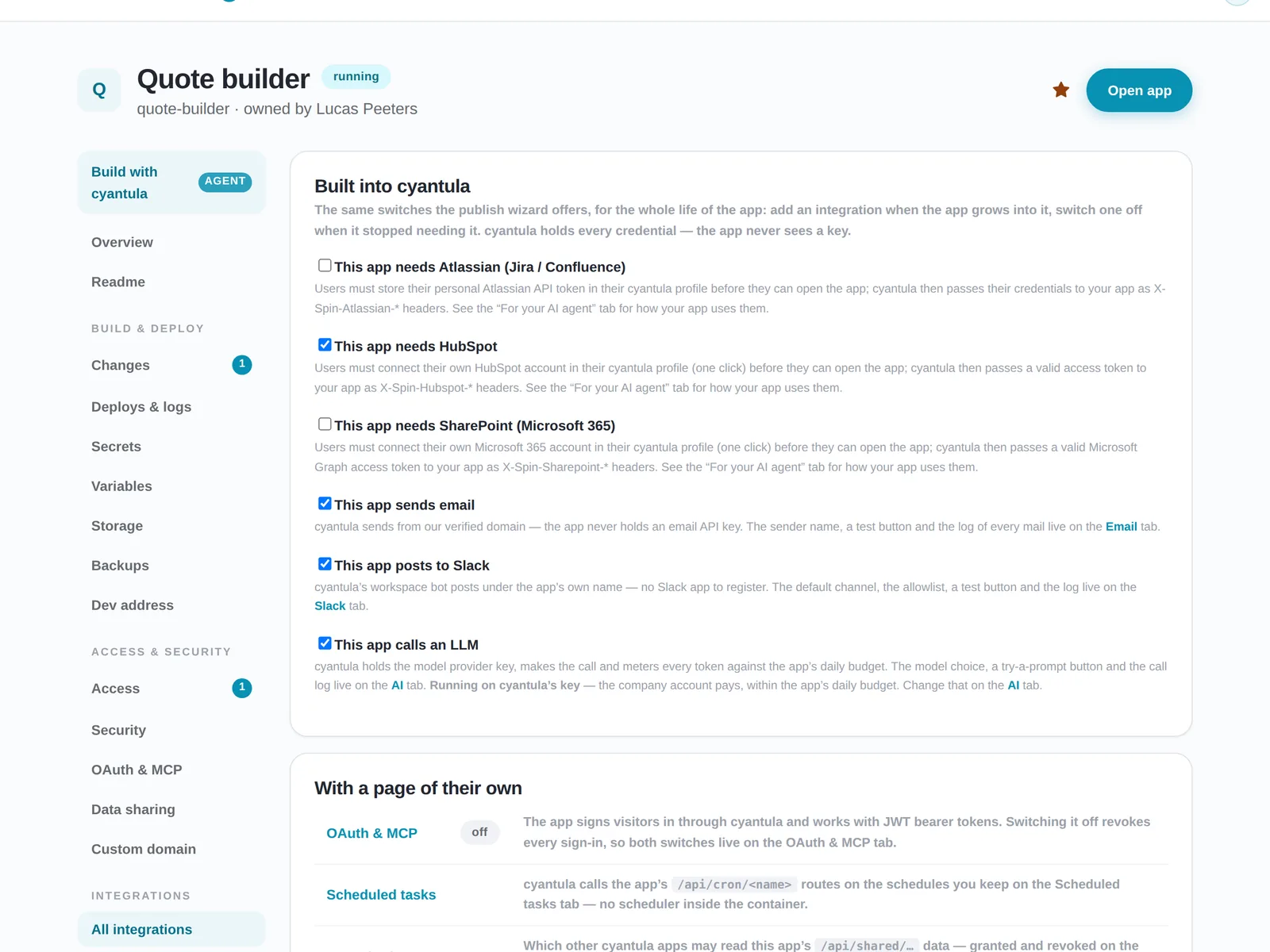
  • Jira, Confluence, HubSpot and SharePoint as the visitor: each colleague connects their own account once.
  • Email from your domain and Slack messages, without an API key in the app.
  • An LLM with a daily budget per app, and scheduled tasks without a scheduler in the container.
The All integrations tab of an app: ticks for Atlassian, HubSpot, SharePoint, email, Slack and an LLM, plus OAuth, scheduled tasks, data sharing and a custom domain

03 · ACCESS

Who gets in is a list you can read, not a config file.

Sign-in is locked to your Google Workspace domain. The owner decides who can open the app, IT can see it, and the app itself never implements login.
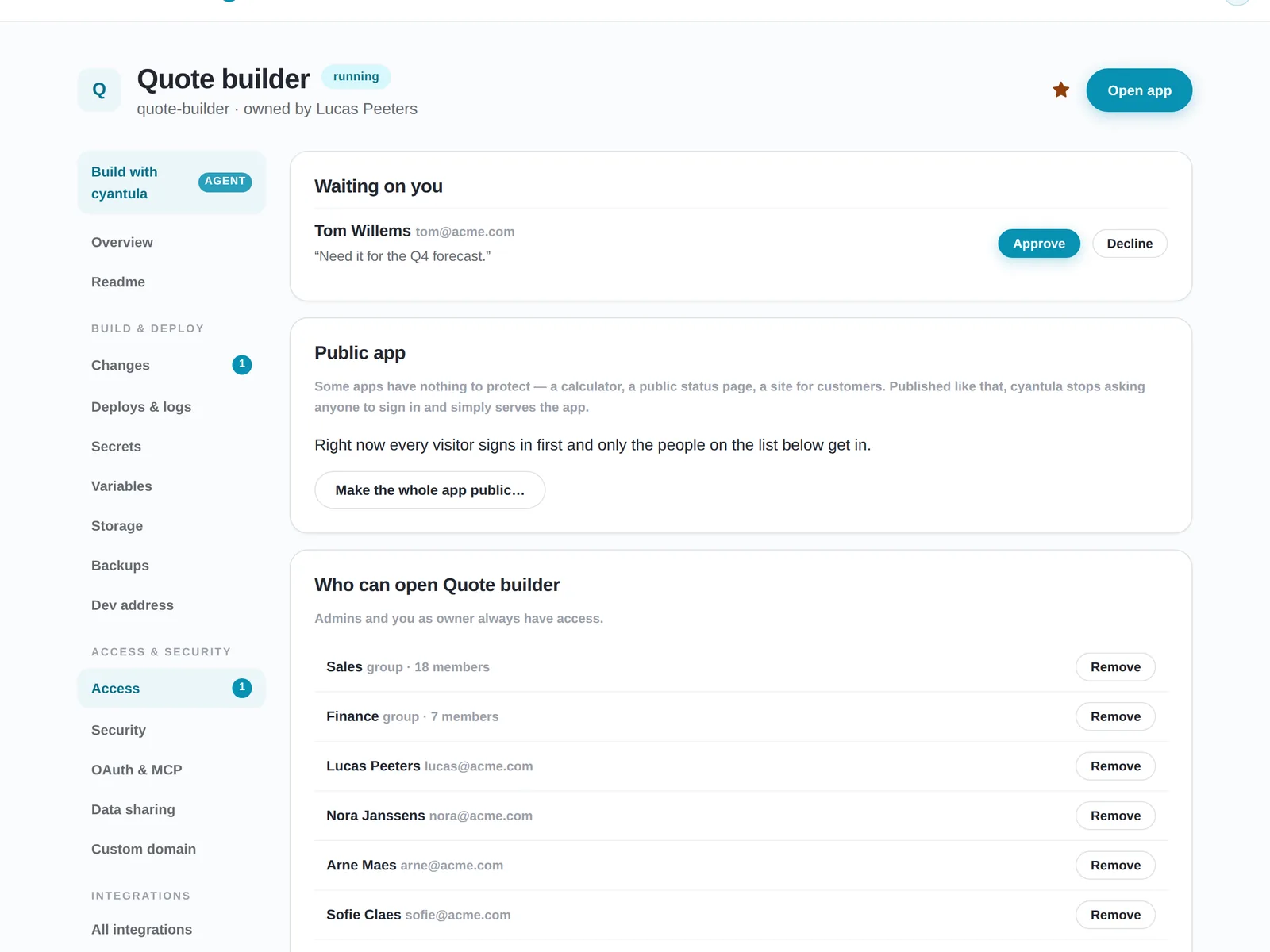
  • Give access to people or to whole groups, and approve requests with one click.
  • Colleagues find every app in a catalog and ask for access to the ones they cannot open yet.
  • A calculator or a status page can be public on purpose; everything else stays behind sign-in.
The Access tab of an app: a pending access request to approve, the option to make the app public, and the people and groups who can open it

04 · DEPLOYS

Every version can be undone in seconds.

Nobody using an app sees a build screen, and a version that never comes up never gets anybody's traffic.
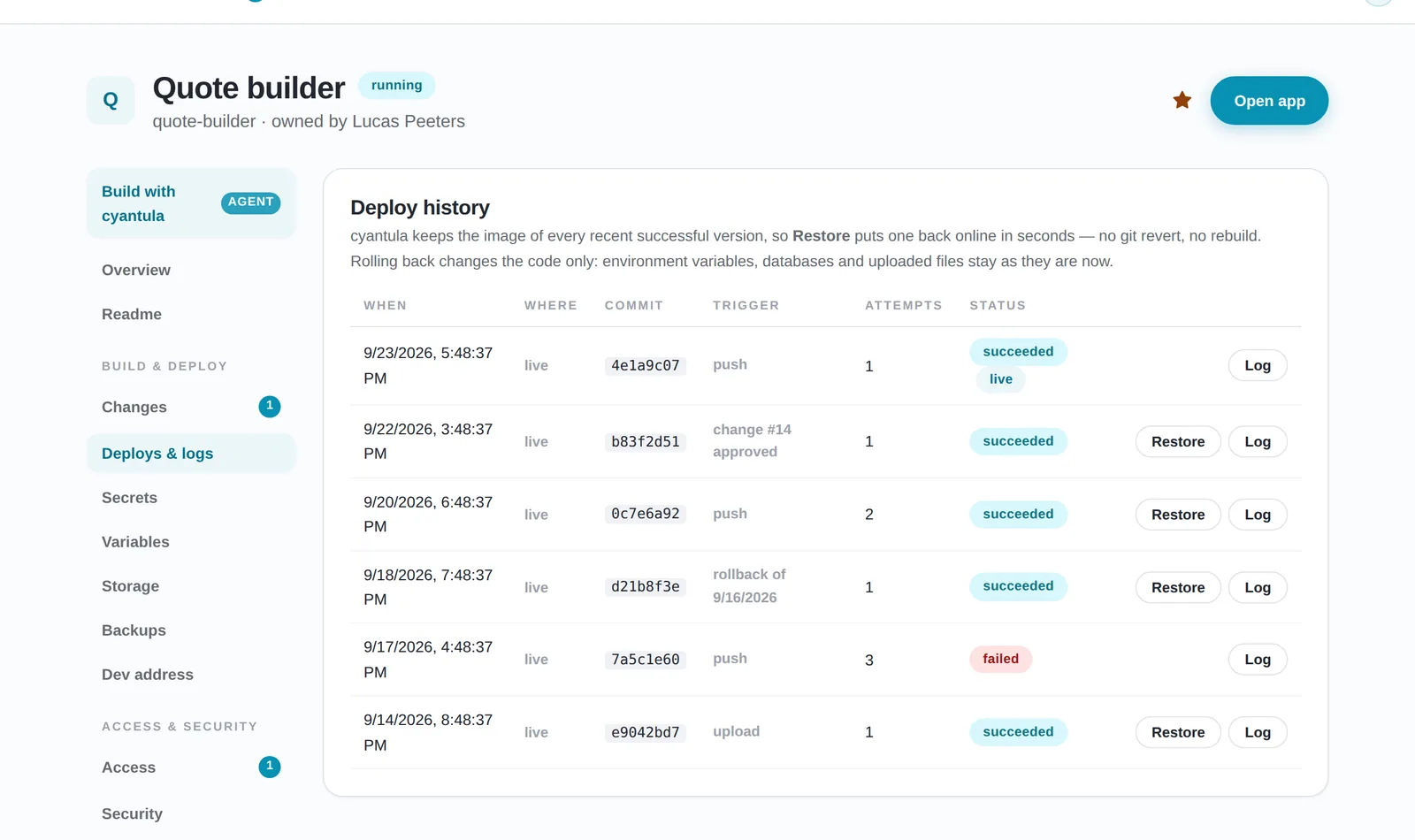
  • A new version starts next to the old one and only takes traffic once it answers.
  • Proposed changes wait for the owner; nothing goes live until someone approves it.
  • Restore puts an earlier version back online without a rebuild.
The deploy history of an app: each version with its commit, trigger and status, and a Restore button that puts an earlier version back online

05 · RUN IT

Know it is up, know it is used, keep the data.

Uptime, traffic and nightly backups come with every app. The owner sees them on the app's own page; IT sees them for all apps at once, including the ones nobody opens anymore.
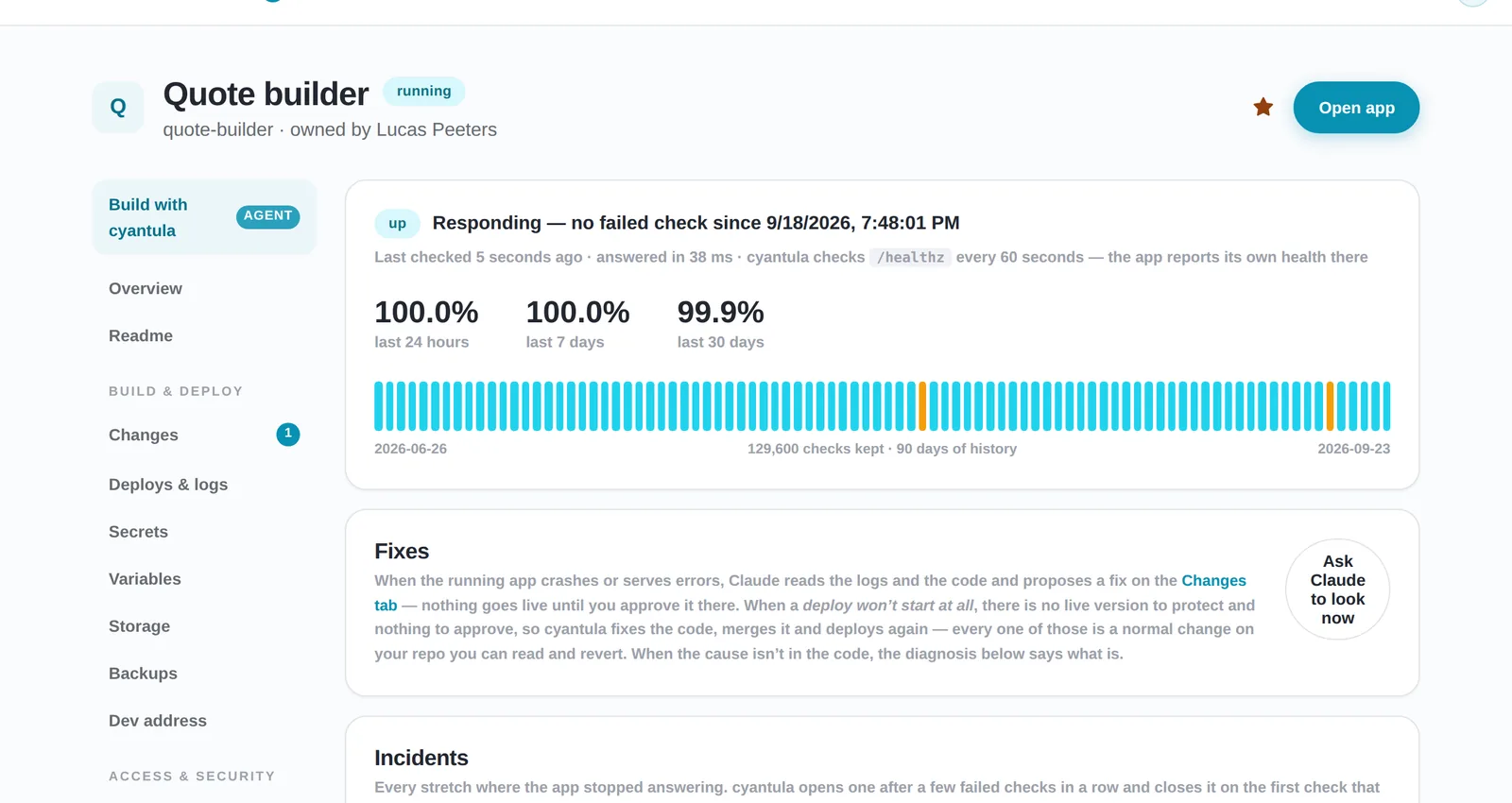
The status tab of an app: 90 days of uptime bars, the uptime percentage and the incident log
Uptime is checked every minute, and incidents are logged with how they ended.
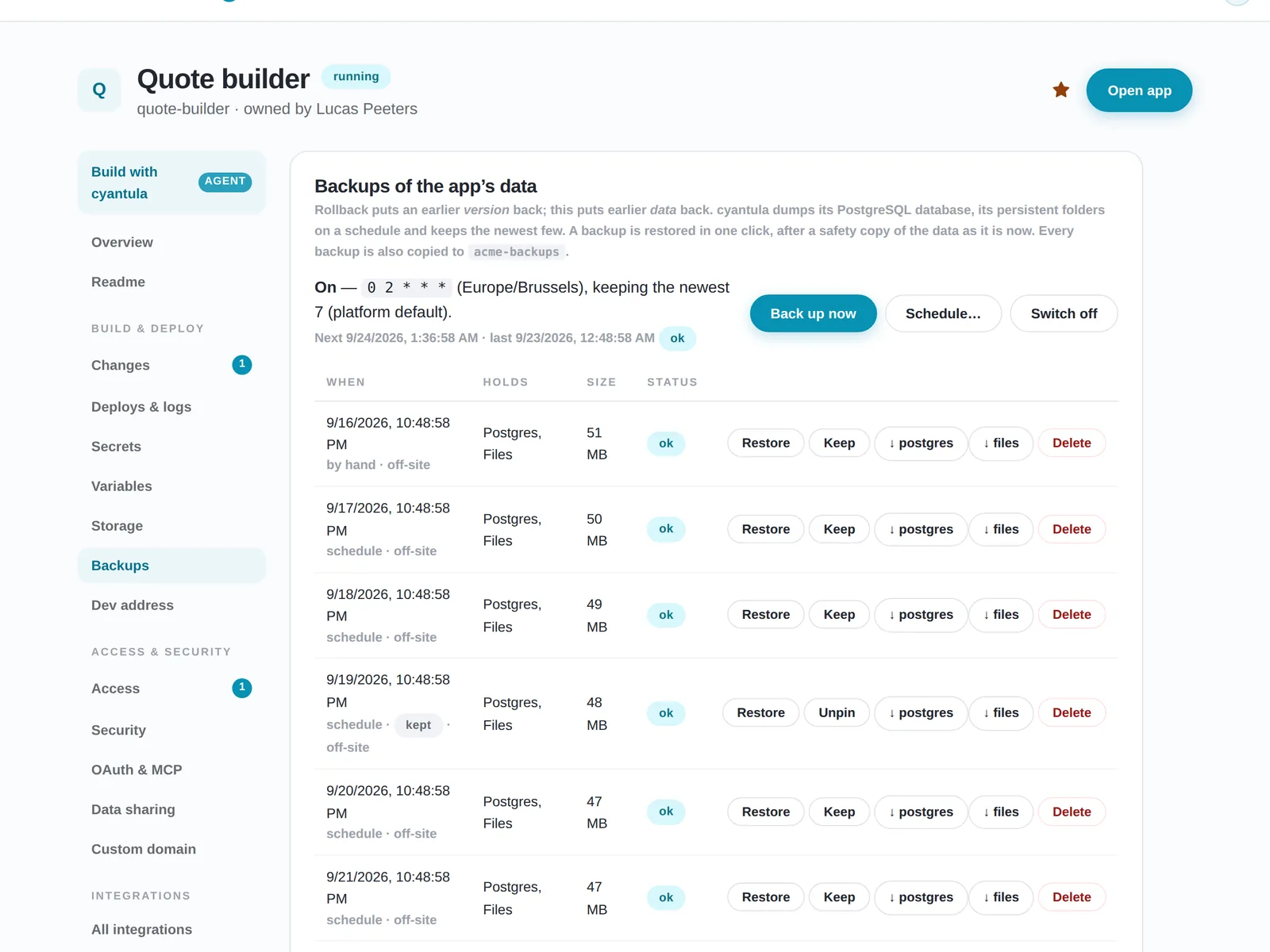
The backups tab of an app: a nightly schedule, the newest seven backups and a Restore button on each one
Nightly backups of the app's database and files, with one-click restore.

06 · AI AGENT

Built to be operated by an AI agent.

Most apps are written with an AI agent already. cyantula treats that agent as a second kind of user, with its own door and the same governance.
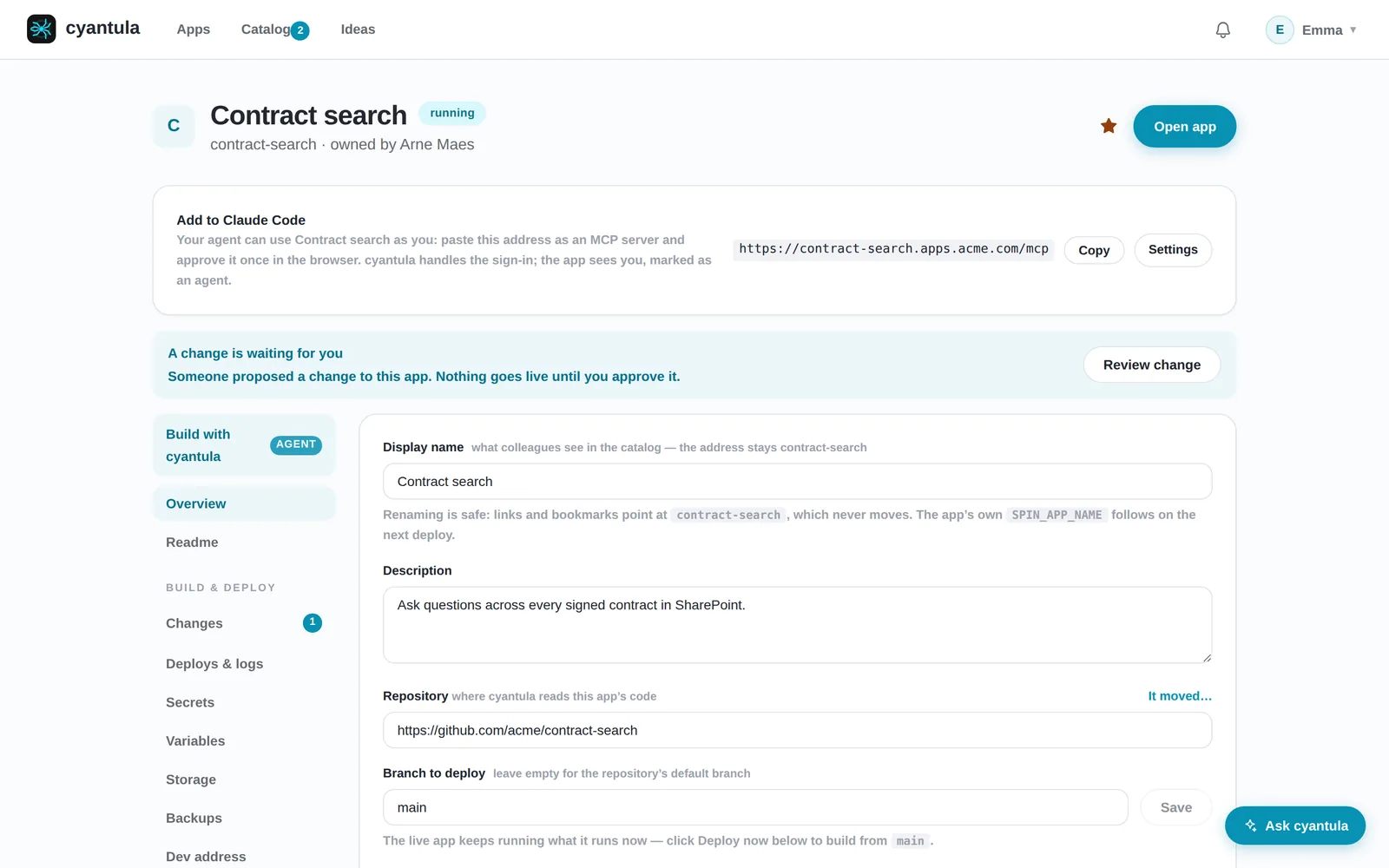
  • Claude Code and other agents publish, repair and manage apps through an MCP server.
  • An app can let a colleague’s agent in, as that colleague, after one approval in the browser.
  • The agent goes through the same door and the same access list as a person.
An app page in cyantula with an Add to Claude Code card that gives the MCP address of the app

07 · IDEAS

It asks what to build next.

The hard part is rarely publishing. It is that most colleagues never think of an app in the first place. Every week cyantula asks each person one question about their own work. The answers land on an idea board where colleagues back what they want too, and Build this hands an idea straight to the publishing conversation.
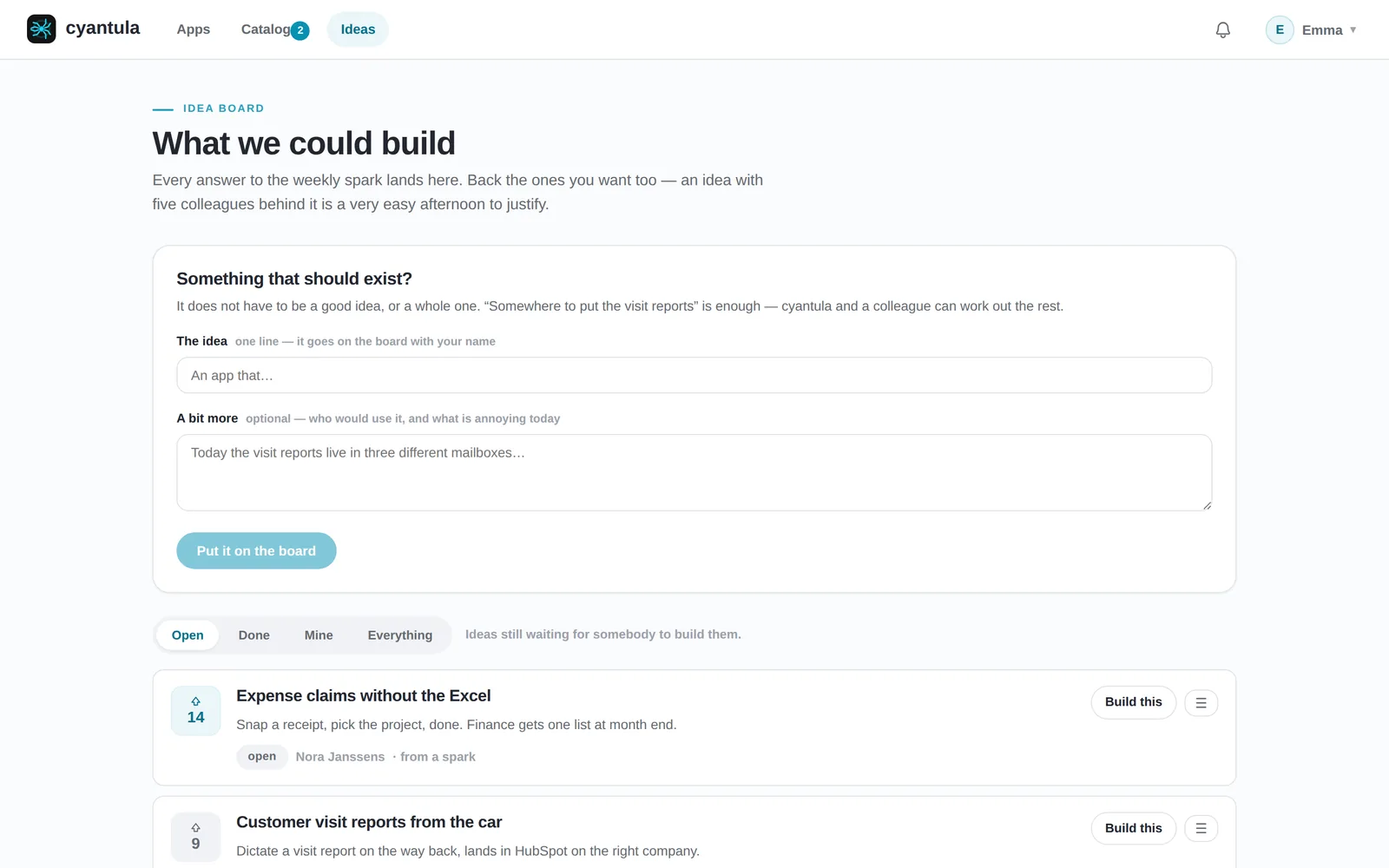
The idea board: colleagues post app ideas, back the ones they want too, and hand an idea straight to publishing with Build this

ALSO IN THE PLATFORM

The rest you would otherwise build per app

Nightly backups

Database and files, kept for a week, with a safety copy before every restore.

Undo a deploy

Earlier versions stay ready, so going back is one click and no rebuild.

A test address per change

Try a proposed change on its own address, with signed-in feedback, before it goes live.

Status and incidents

Every app is checked around the clock and the owner hears when it stops answering.

Share links

Open one app to an external partner, for a limited time, without a company account.

Custom domains

Point a hostname you already own at an app, and cyantula serves it there.

Feedback in the app

Colleagues report bugs and ideas where they work; the owner finds them on the app.

Apps nobody uses

cyantula notices a quiet app and asks the owner whether it can be archived.

SECURITY BY DEFAULT

The app never sees a password

Every colleague signs in once, with the Google account your company already manages. cyantula then tells each app who is visiting, signed, so a client cannot forge it.

Verified identity, on every request

X-Spin-User-Email: emma@acme.com

X-Spin-User-Name: Emma Devos

X-Spin-User-Role: member

The gateway strips every identity header a client sends and replaces it with verified ones.
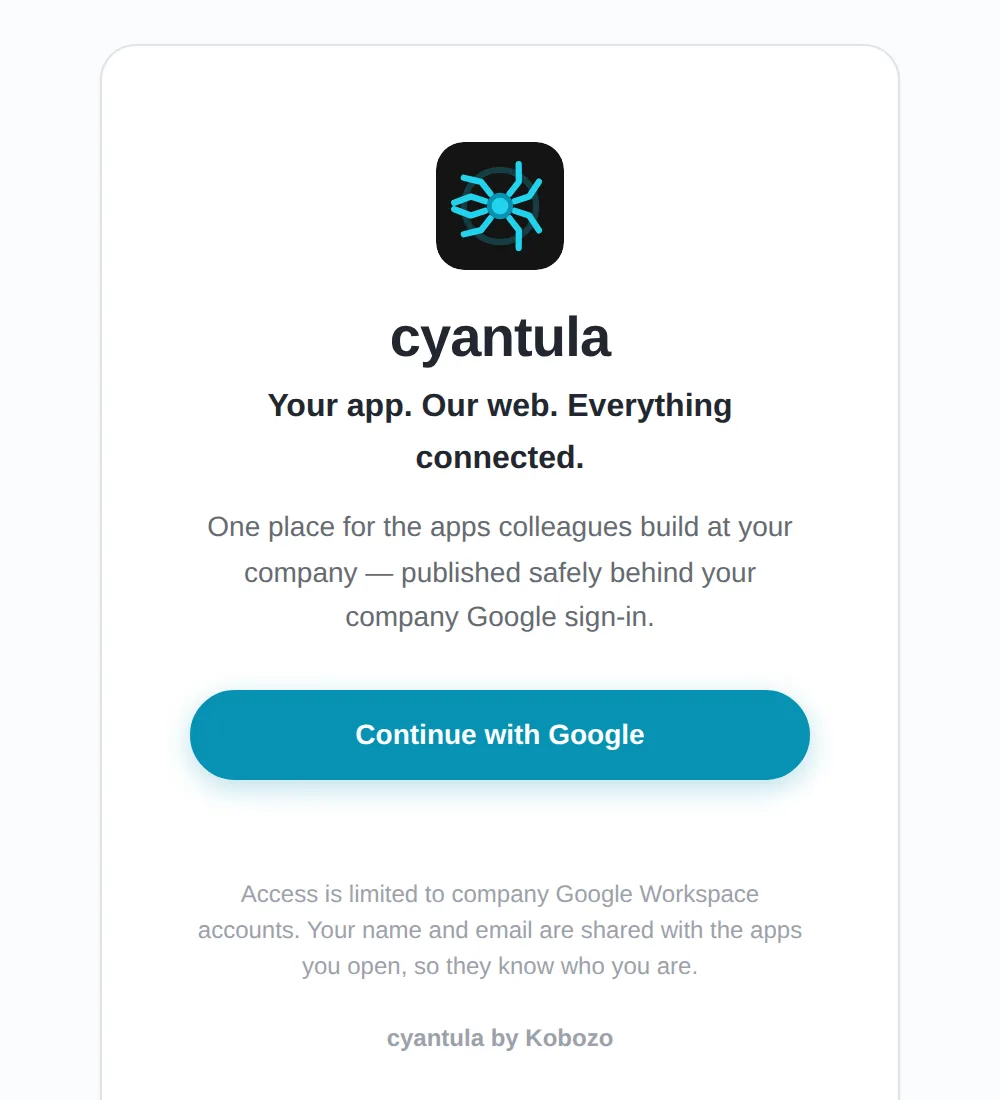
The cyantula sign-in screen with a single Continue with Google button
One sign-in, locked to your Google Workspace domain.

WHERE WE ARE

Free for your first app, on your own server

Install cyantula yourself today with one command: see the install guide. One app builder and up to five users stay free for good, without a licence key and without talking to us first. Built for teams where one IT person can no longer review every app by hand.

See how pricing works

See how cyantula compares to the tools you know

Put a door in front of every app your team builds

Install cyantula on your own server with one command. Free for one app builder and up to five users, for good. Questions first? We answer within a working day.