RUNNING INTERNAL TOOLS
Building the tool took an afternoon. Who runs it next year?
A colleague builds a useful tool with an AI agent in an afternoon. Colleagues start using it. A few months later the builder moves on, and nobody knows where it runs or how to fix it.
THE GAP
Why maintenance is the hard part
Building got cheap. Running did not.
The excitement is in building. Nobody plans for updates, outages, lost data, or the day the builder leaves. That is not a skills problem. It is a missing structure.
A CHECKLIST
A five-point checklist for every internal tool
Useful on its own, with or without a platform. Walk through it for every tool that colleagues already rely on.
A named owner
Name one person, and a second person who knows where the tool runs.
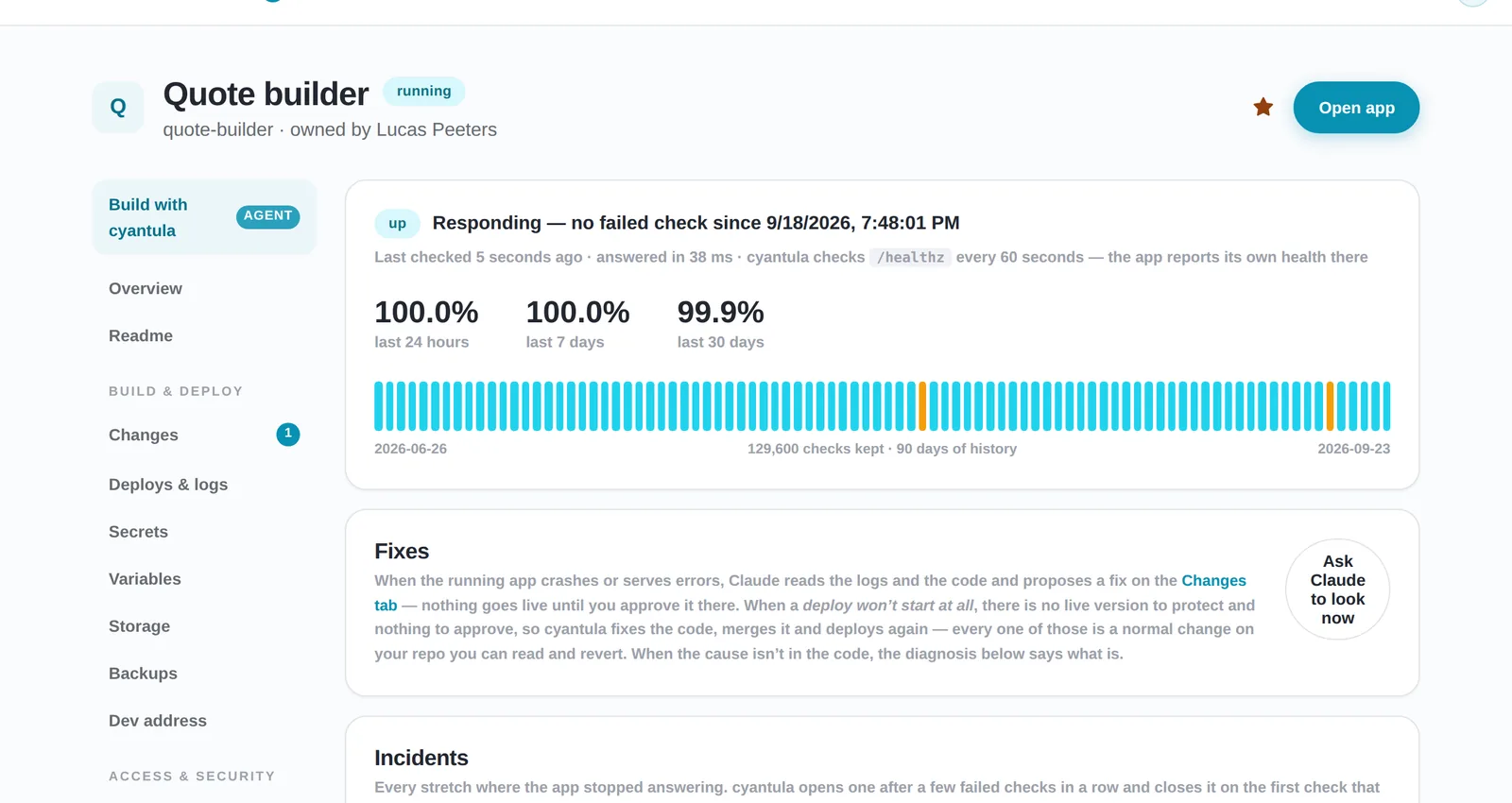
Know it is up
An automatic check, and a message to the owner when it stops answering.
Keep the data
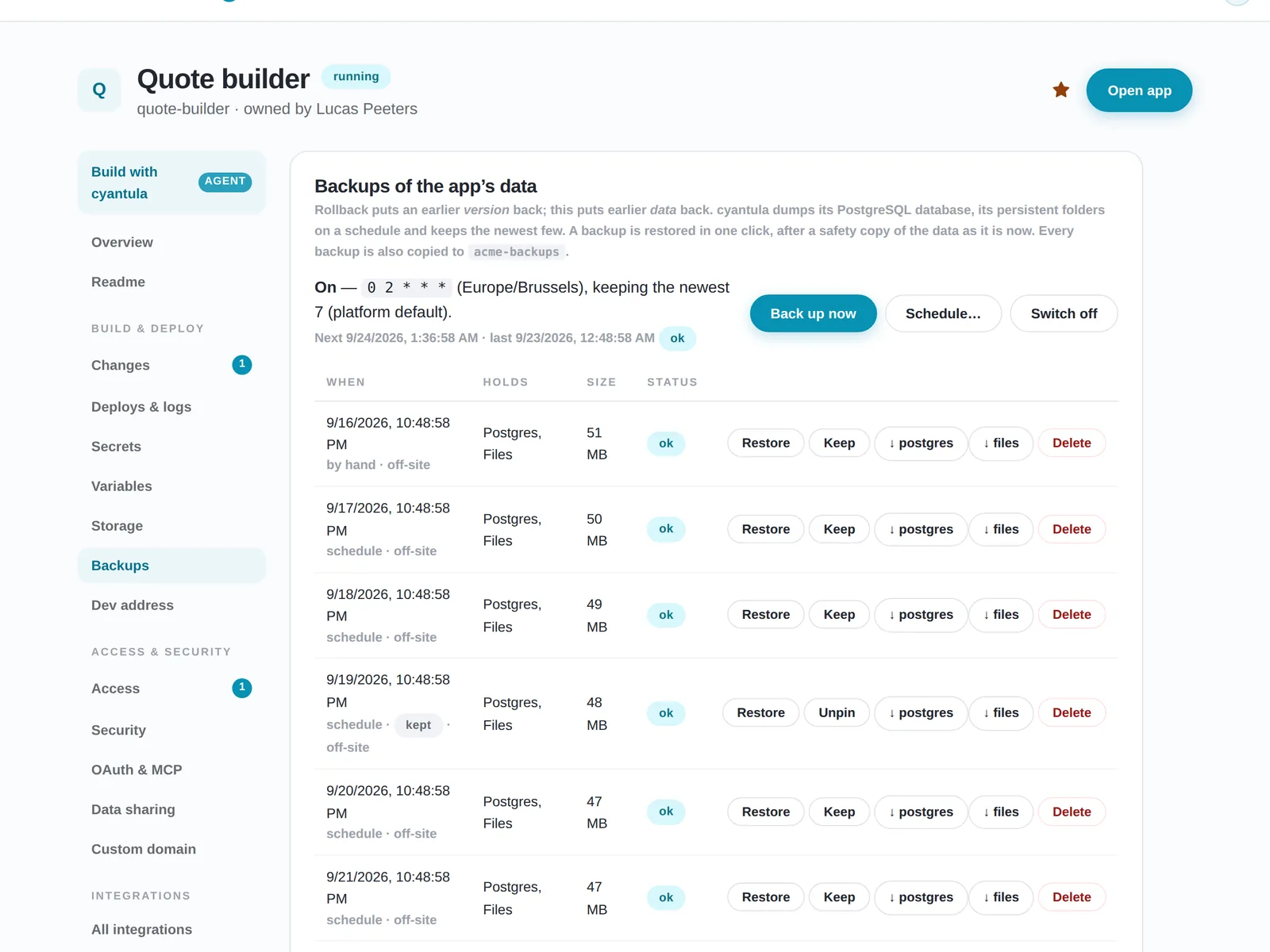
Backups of the database and files, and a restore you have actually tried.
Change safely
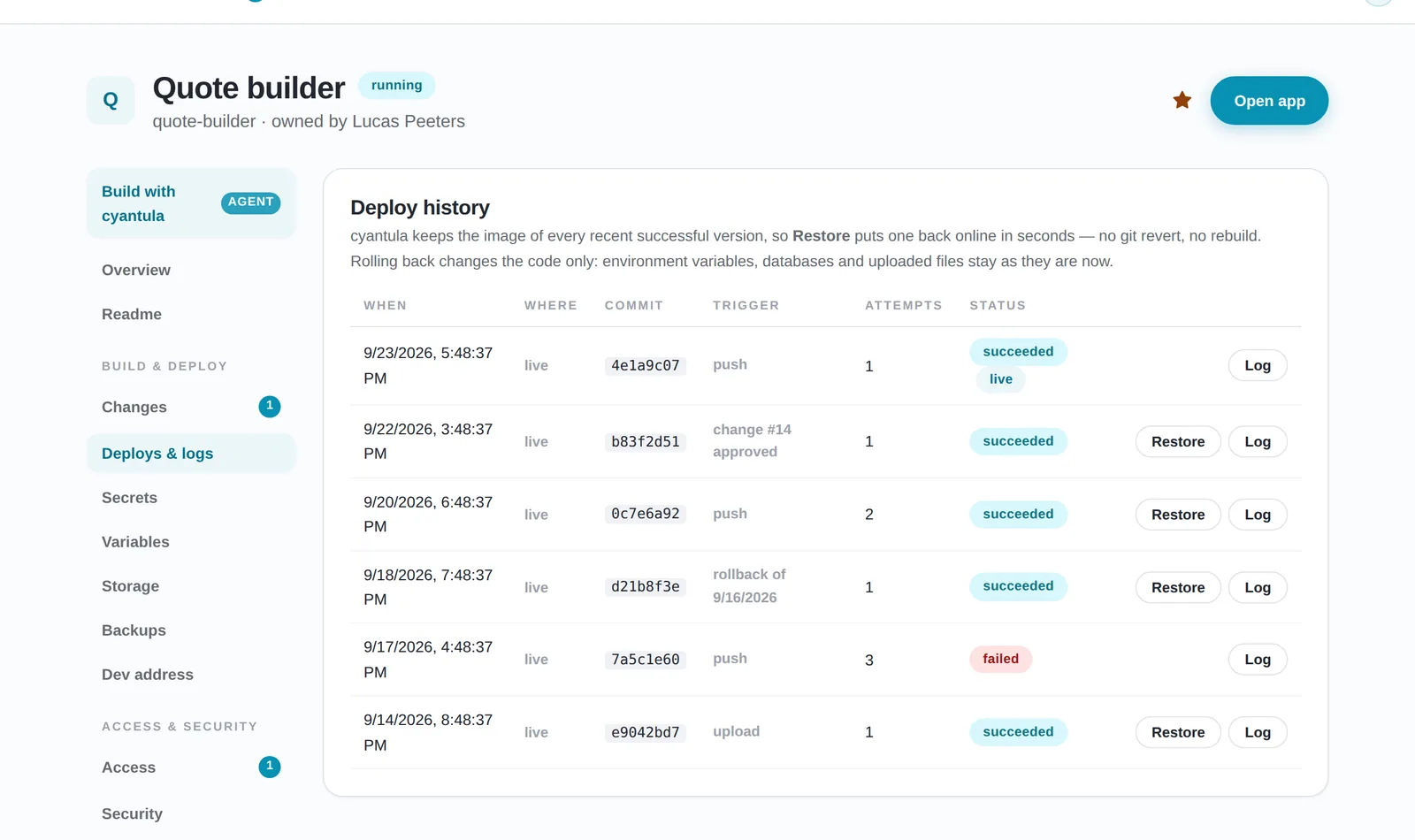
Try a new version next to the old one, let someone approve it, and keep one-click undo.
Retire what nobody uses
Notice quiet apps and ask the owner whether they can be archived.
ON CALL
Who is on call?
The builder should not be alone. Shared parts belong in one place under every app: hosting, backups, uptime and rollback. Then each tool does not reinvent them.
SELF-CHECK
Quick self-check
- Could someone else restart this tool tomorrow?
- When was the last backup?
- What happens if the last update broke it?
HOW CYANTULA RUNS IT
How cyantula runs it after the builder leaves
Every app has an owner. Uptime is monitored, and the owner hears when an app stops answering. Backups are made of the database and files, with a safety copy before every restore.
A new version starts next to the old one and only takes traffic once it answers. Proposed changes wait for the owner. There is a test address per change, and you can restore without a rebuild. cyantula asks the owner about apps nobody opens. IT sees all apps at once, including unused ones.
It runs on your own infrastructure by default, behind your existing company login (Google Workspace today). Publishing is a URL, a zip or a conversation, so the builder does not stand up servers or monitoring for each tool.
Who can open the tool is covered in access control. How IT sees the apps it did not ask for is covered in shadow IT.
Frequently asked questions
What happens to an internal tool when the person who built it leaves?
Name an owner, and a second person who knows where it runs. Keep hosting, backups, uptime and rollback in one place under every app, so the tool does not depend on the builder staying. In cyantula every app has an owner, backups are made, and uptime is monitored so the owner hears when it stops answering.
Can I undo a bad update to an internal app?
Yes, in cyantula. Earlier versions stay ready, a new version only takes traffic once it answers, and you can restore without a rebuild.
How are backups handled?
Backups are made of the database and files, with a safety copy before every restore.
Does the builder need to set up servers or monitoring?
No. Publishing is a URL, a zip or a conversation. Uptime monitoring and backups come with every app.
See it running behind your login
Install cyantula for free and put your first app behind your company login. The platform page shows how login, hosting and integrations sit together.